
JcScreenCaptureMac
JcScreenCaptureMac
JcScreenCaptrueMac can periodically save screenshots of the macos screen, and supports running in hidden state.
Features
- Can run in hidden state
- Support auto start and auto hide
- Capture a screenshot every minute
- Compress pictures, keep clarity and reduce disk space
- Save screenshots by date, easy to view
- Automatically clean up files over 10 days
Download
Install
- Copy to application folder
- Open System Preferences, set accessibility and screen recording
- Restart macos
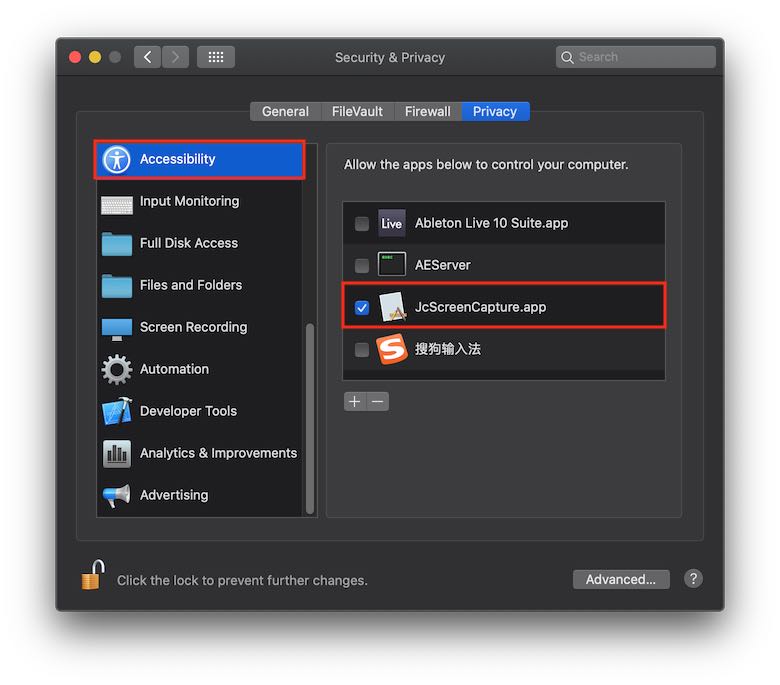
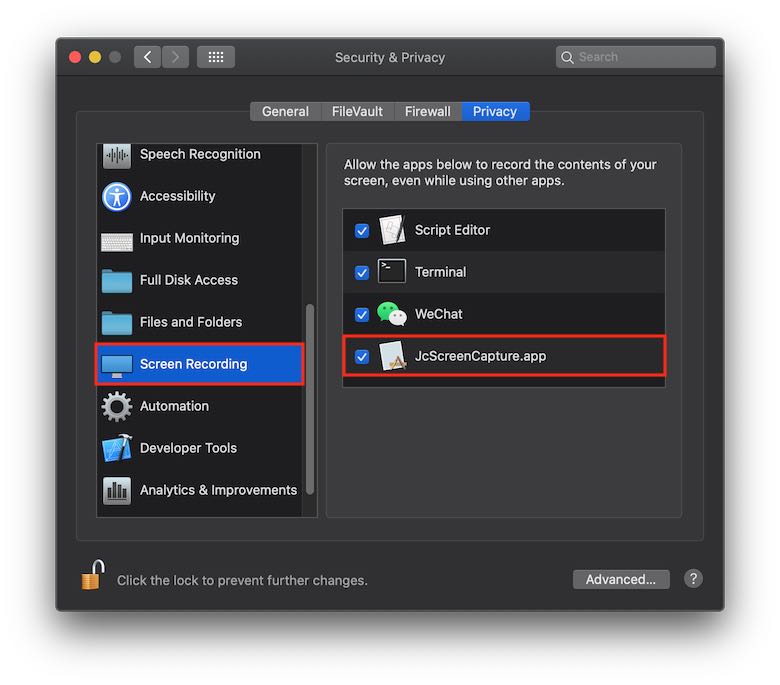
View screenshots
- Press Ctrl + Shift + J to open screenshot folder: "/Users/[user name]/JcScreenCapture/screenshot"
- Note: Screenshots will be auto cleaned after 10 days.